scrapbook & collage app for iPhone

your trips, made into pages

YearPics finds the trips and moments in your iPhone photos and turns one into a scrapbook page to print or a photo collage shaped like a heart, a number or a word. Pick a trip, choose Collage or Scrapbook, and it is made at once, on your device, ready to print and frame.

Download on the App Store free on iPhone and iPad
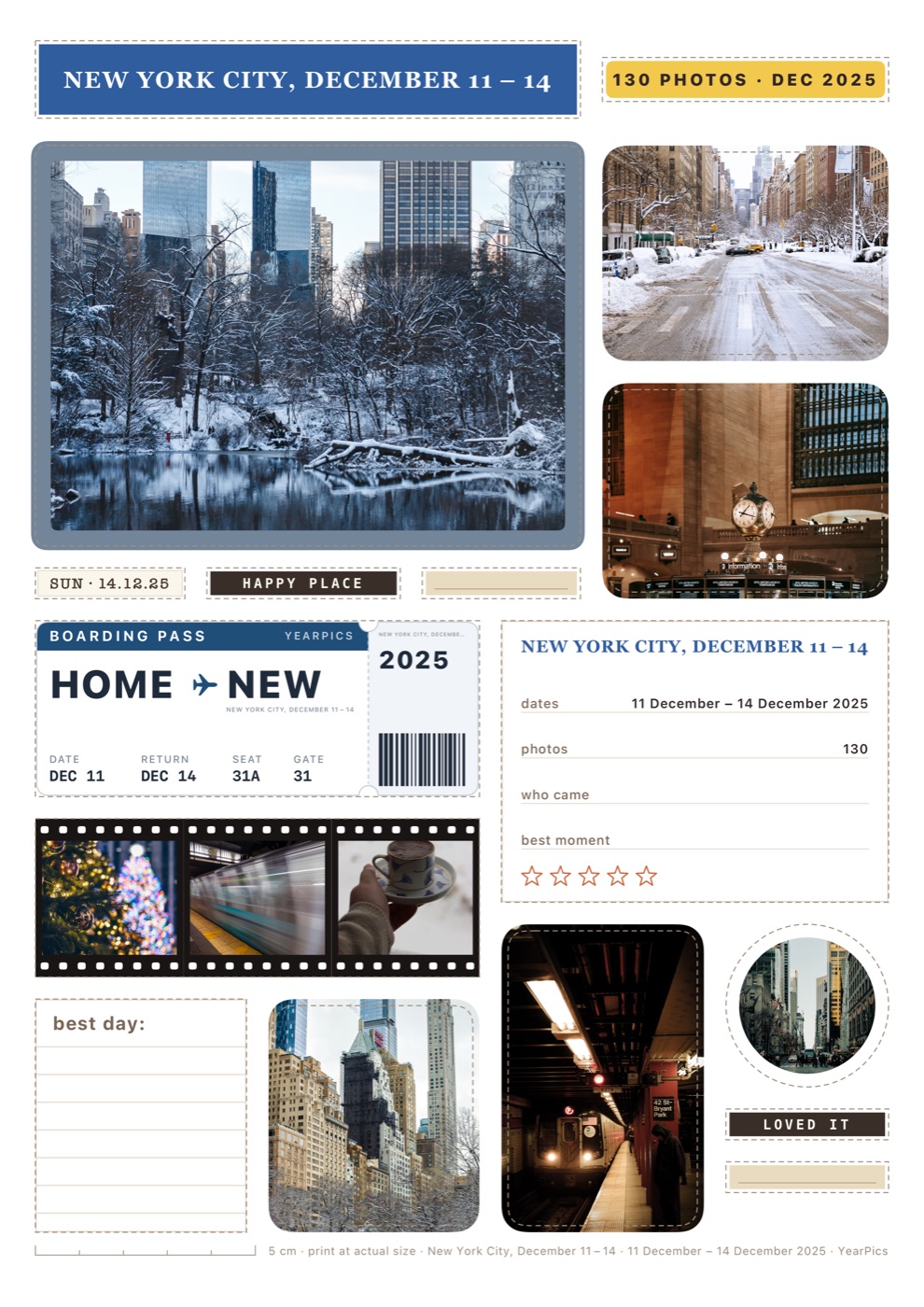
A YearPics scrapbook page for a New York City trip with a boarding pass, a film strip, a date stamp and photo cards
Scrapbook page, A4: a December trip to New York City. Made in YearPics.

how it works

five steps, most of them done for you

Most photo apps hand you empty templates. YearPics starts from the photos you already took and does the layout for you.

  1. pick a trip or moment

    YearPics looks at the dates and places in your Photos library on your iPhone and suggests trips, months and years. Or choose the photos yourself.

  2. choose collage or scrapbook

    A collage arranges your photos into a heart, a number, a year or a word. A scrapbook page lays them out with a ticket, film strips, stamps and a journaling card.

  3. it is made at once

    No dragging photos into boxes. Under Edit you can change the text, font, filter, frame and background, swap a photo, or make it again.

  4. save it for print

    Save a PNG or PDF and prepare a print from 2×3 up to 12×12 or A3, sized for the frame you already have.

  5. keep it, share it

    Every collage stays in your Gallery to print again later. Share it, or turn it into a short Photo Bloom video for TikTok or Instagram.

what you get

from camera roll to wall

  • trips found for you

    Trips, months and years are found on your iPhone from the dates and places of your photos, so you don’t have to hunt through the camera roll.

  • numbers, years and words

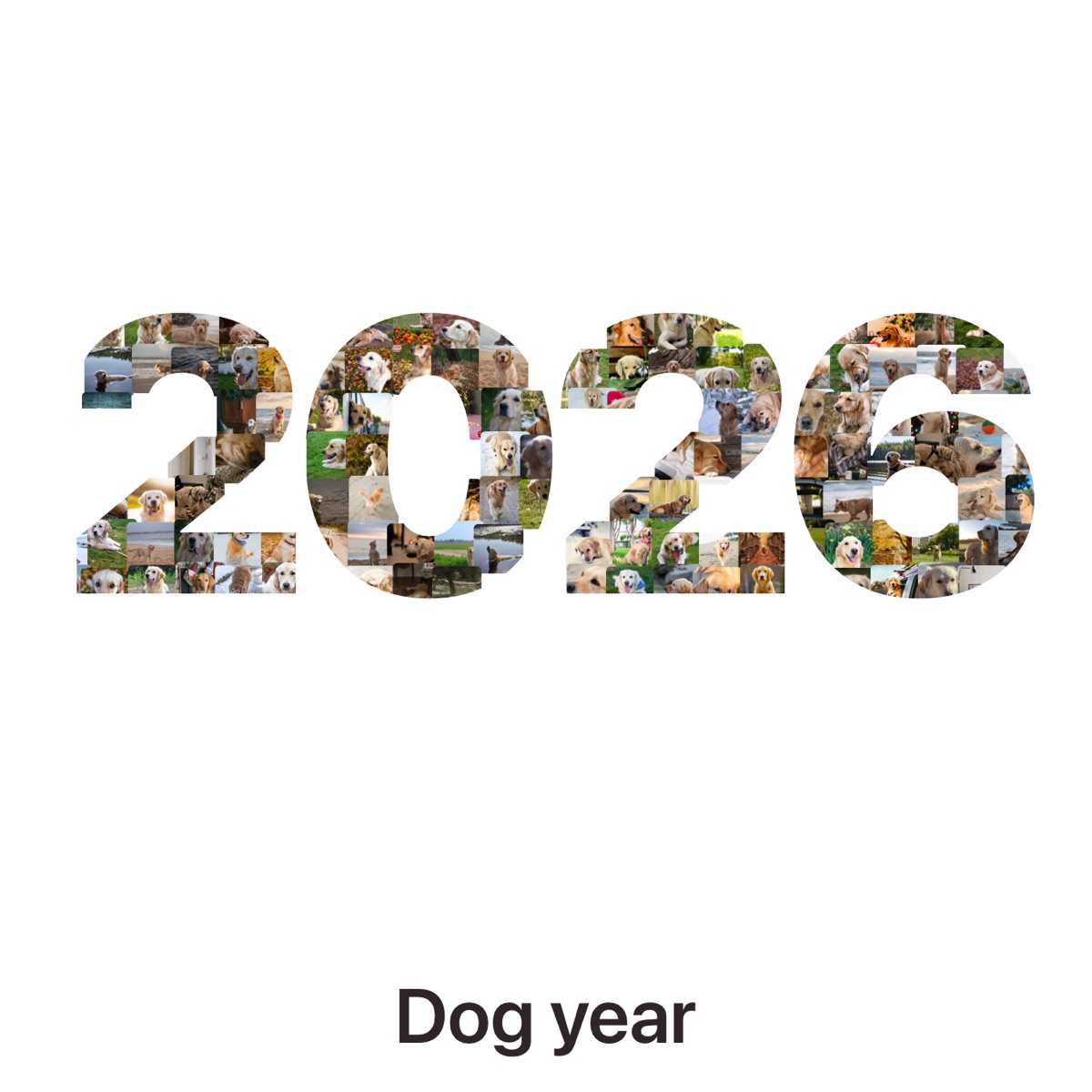
    Any number from 0 to 99, a year like 2026, or up to four letters, plus a heart, star, paw print and more. Add a caption line underneath.

  • scrapbook pages

    Pages with a boarding pass, film strips, stamps and journaling cards, one per trip, place, day, week or month, plus decorations to cut out.

  • ready for the frame

    Print presets from 2×3 minis to 12×12 and A3, PDF export, and 300 dpi scrapbook pages, so nothing is cropped or blurry.

  • try again until it’s right

    Each tap makes a new arrangement. Bigger tiles go to your best photos: faces, favorites and the sharpest shots.

  • private by design

    No account. Collages and pages are made on your device, and your photos are not uploaded.

examples

made in YearPics

Exported straight from the app, unedited. The photos are free stock photos from Pexels, dated as a sample trip.

A YearPics scrapbook page for a New York City trip with a boarding pass, a film strip, a date stamp and photo cards
Scrapbook page, A4: a December trip to New York City.
A heart-shaped photo collage made of beach and ocean photos from Honolulu
Heart collage from a Honolulu trip.
A photo collage shaped like the year 2026, made of photos of a golden retriever
Number collage: a dog’s year as “2026”.

questions

what people ask

More answers on the support page. Read how photos are handled in the privacy policy.

What is YearPics?

YearPics: Scrapbook & Collage is an iPhone and iPad app. It finds the trips and moments in your Photos library and turns one into a printable scrapbook page or a photo collage shaped like a heart, a number, a year or a word, in a single tap.

Is YearPics free?

YearPics is free to download. Without Premium you can make collages with the text and heart shapes, make and preview scrapbook pages, make videos, and save a 1080px PNG with a small YearPics mark, from a limited number of collections. Premium is $3.99 a month, $14.99 a year, or $44.99 once (US prices).

What does Premium add?

Premium adds full-size PNGs without the mark, PDF export, print preparation, scrapbook pages as one PDF or 300 dpi PNGs, every collage shape including the star, paw print, crown and photo mosaic, Instagram Stories sharing, and videos without the end tag.

Are my photos uploaded?

No. YearPics makes collages and scrapbook pages on your device and does not upload your photos. It finds trips from your photos’ dates and places on the device too. It counts a few anonymous events, such as a collage finishing, and you can turn that off in Settings.

How many photos do I need?

A number or heart looks full with about 50 to 300 photos; the examples on this page use about 130 from one trip. Fewer photos work too, with bigger tiles. A collection can hold up to 1,000 photos.

Which numbers and words can I make?

Any number from 0 to 99, a four-digit year such as 2026, or up to four letters and numbers, such as a name, initials or a city code like NYC. A caption of up to 32 characters can go underneath.

Which photos can I use?

Any photo in your iPhone or iPad Photos library, including HEIC, JPEG and PNG, and iCloud Photos, which YearPics downloads through Apple Photos when it needs them. Your originals stay in Photos.

How do I get it printed?

Save the file at the print size and print it on an AirPrint printer from the share sheet, or upload it to any photo lab or print shop. With Premium, files are full size, without the mark, and can be prepared for 2×3 up to 12×12 or A3.

Which print sizes does YearPics support?

Collages can be prepared for 2×3, 4×6, 5×7, 8×10, 11×14, 12×12, A4, US Letter and A3. Scrapbook pages come in 4×6, 8×10, A4, US Letter and 12×12.

Which devices does it run on?

YearPics runs on iPhone and iPad with iOS 26 or iPadOS 26 or later. There is no Android or web version.